How to Stop Substack Emails
Substack newsletters can pile up fast, especially if you've subscribed to a few over time. The good news is that unsubscribing is quick and you have a few different ways to do it.
Here's how to unsubscribe from Substack emails using the email link, your account settings, or directly from Gmail.
How to Unsubscribe from Substack Emails
The fastest method is using the unsubscribe link inside any Substack email:
- Open any Substack newsletter in your inbox.
- Scroll to the bottom of the email.
- Click the Unsubscribe link.
- Confirm on the page that loads.
You'll stop receiving emails from that specific newsletter. If you're subscribed to multiple Substack writers, you'll need to repeat this for each one, or use the account method below.
How to Unsubscribe from Multiple Substack Subscriptions
If you want to unsubscribe from several newsletters at once, do it from your Substack account:
- Go to substack.com and log in.
- Click your profile icon in the top right corner.
- Select Manage Subscriptions.
- You'll see a list of every newsletter you're subscribed to.
- Click Unsubscribe next to each one you want to stop.
This is the best way to clean up if you've accumulated a lot of subscriptions over time. You can review everything in one place.
How to Stop Substack Emails Without Unsubscribing
If you want to keep following a writer but stop getting emails, you can turn off email delivery for that subscription:
- Log in to your Substack account.
- Go to Manage Subscriptions.
- Find the newsletter you want to adjust.
- Turn off email delivery but keep the subscription active.
This way, you can still read their posts on Substack's website or app without the emails hitting your inbox.
How to Block Substack Emails in Gmail
If you've unsubscribed but emails keep coming, or you just want them gone immediately:
Block the sender:
- Open any Substack email in Gmail.
- Click the three dots in the top right of the email.
- Click Block.
Set up a filter to auto-delete:
- In Gmail, search for
from:substack.com. - Click the filter icon in the search bar.
- Click Create filter.
- Check Delete it and click Create filter.
This catches anything from Substack and removes it automatically.
Bulk Unsubscribe from Substack Emails with InboxPurge
If Substack is just one of many senders cluttering your inbox, InboxPurge lets you handle everything at once.
InboxPurge is a Chrome extension that scans your Gmail for subscription emails and lets you unsubscribe from multiple senders in seconds.
- Install the InboxPurge Chrome extension.
- Open Gmail and connect your account.
- Find Substack (and any other senders) in the InboxPurge sidebar.
- Click Unsubscribe to stop them all at once.
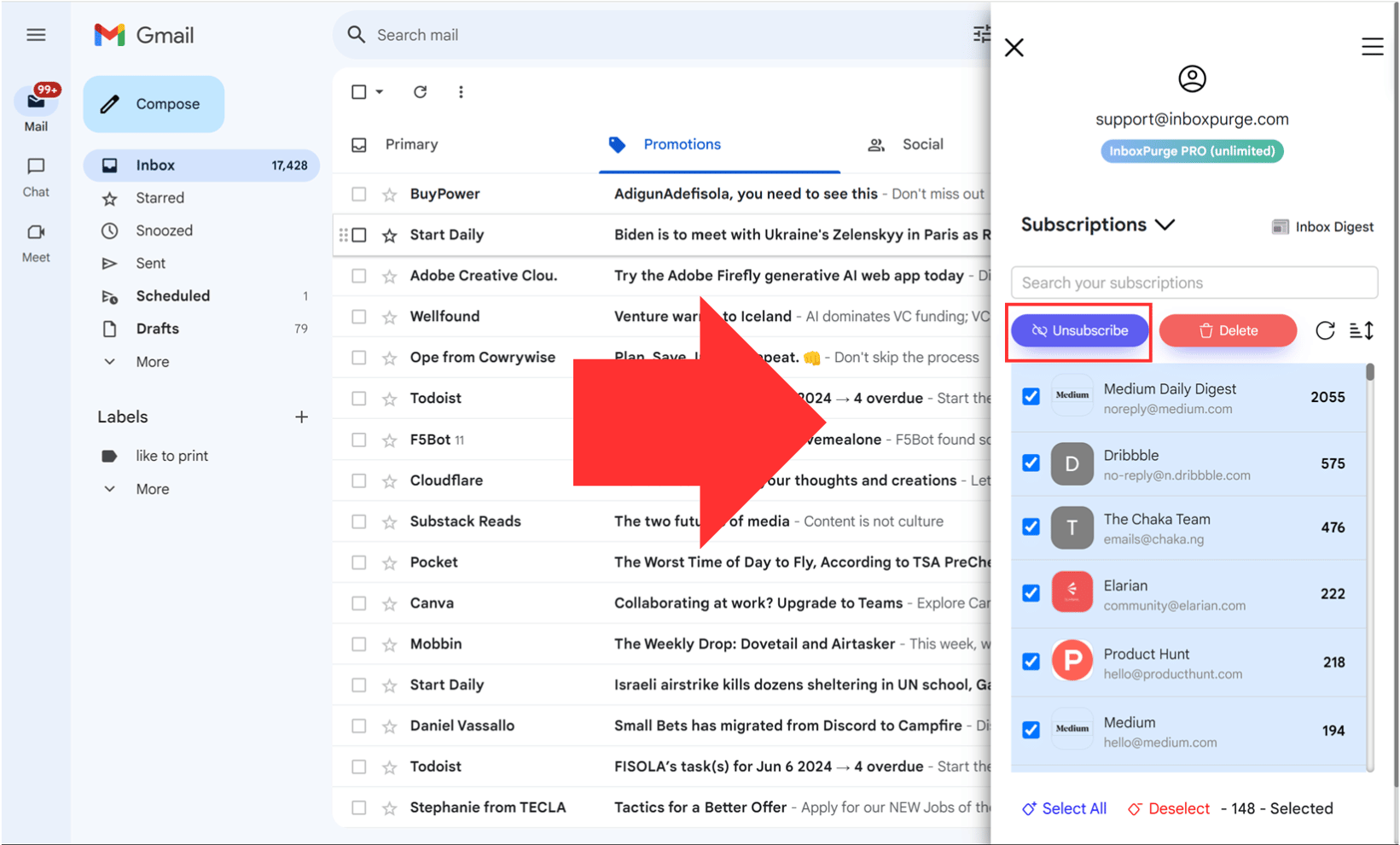
It also lets you bulk delete old emails from those senders, so your inbox is clean going forward.
FAQs About Unsubscribing from Substack
Will I still get emails if I only unsubscribe from one newsletter?
Yes. Unsubscribing from one Substack newsletter only stops emails from that specific writer. If you're subscribed to others, those will keep coming. Use Manage Subscriptions on Substack to see and remove all of them.
What if I still get Substack emails after unsubscribing?
Give it 24 to 48 hours for the change to take effect. If emails keep coming, double-check your subscription list in your Substack account. You can also block Substack emails in Gmail as a backup.
Will deleting my Substack account stop all emails?
Yes. Deleting your account removes all subscriptions and stops all Substack emails permanently. But it also means you lose access to any content or paid subscriptions tied to that account.
Unsubscribe from Substack Emails Instantly
Stop unwanted newsletters and clean your inbox quickly
Unsubscribe Now →Clean your inbox in minutes


