How to Unsubscribe from Temu Emails
Getting too many emails from Temu? You're not alone. Temu sends a flood of promotional emails, discount alerts, and notifications that pile up fast.
The good news: you can stop Temu emails in just a few minutes. Here's exactly how.
How to Stop Temu Emails (Unsubscribe Link)
The fastest way to unsubscribe from Temu emails is through the link at the bottom of any Temu email.
- Open any recent email from Temu.
- Scroll to the very bottom.
- Click the Unsubscribe link.
- Confirm on the page that loads.
This removes you from Temu's promotional email list. You may still get order-related emails if you have an active account.
How to Stop Temu Notifications from the Website
You can also turn off Temu emails through your account settings on their website.
- Go to temu.com and log in.
- Click your profile and open My Account.
- Find the Email Preferences section under Settings.
- Toggle off newsletters, promotions, and marketing emails.
- Click Save.
This stops most promotional emails from Temu going forward.
How to Stop Temu Notifications on the App
If you use the Temu app, you can manage email notifications from your phone.
- Open the Temu app and go to your profile.
- Tap Settings.
- Find the Notifications section.
- Turn off email notifications.
- Save your changes.
This stops Temu from sending push and email notifications through the app.
How to Block Temu Emails in Gmail or Outlook
If you still get emails after unsubscribing, you can block Temu directly from your email provider.
In Gmail:
- Open an email from Temu.
- Click the three dots in the top right corner.
- Select Block "Temu" or Report spam.
In Outlook:
- Right-click the Temu email.
- Select Block Sender.
You can also set up a filter to automatically send Temu emails to trash. In Gmail, go to Settings > Filters and Blocked Addresses > Create a new filter, and set emails from Temu to skip the inbox.
How to Stop Getting Emails from Temu in Bulk
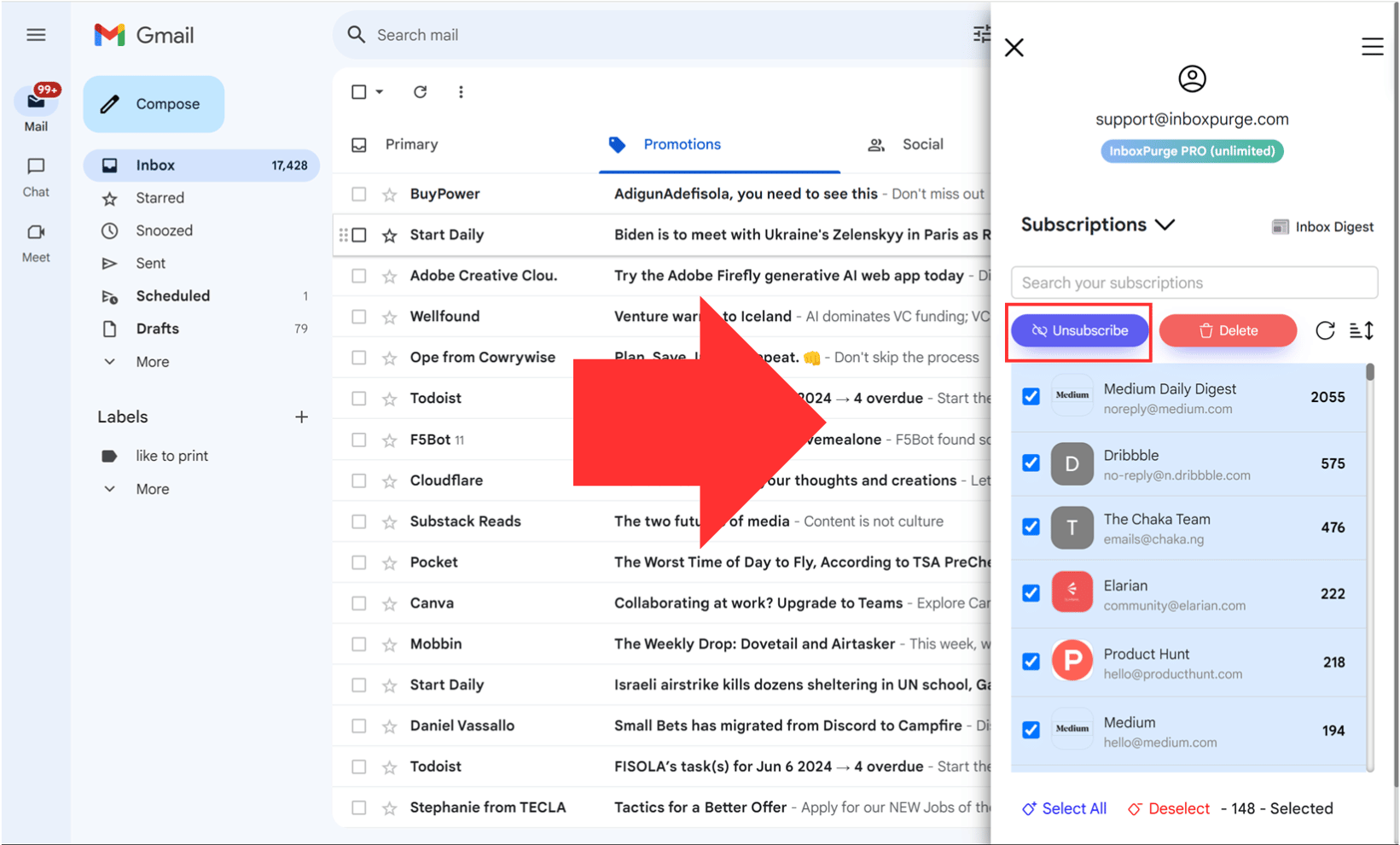
Unsubscribing from one sender at a time works, but if Temu is just one of many cluttering your inbox, a bulk cleanup tool saves a lot of time.
InboxPurge is a Chrome extension that lets you unsubscribe from unwanted senders in bulk, including Temu.
- Install InboxPurge from the Chrome Web Store.
- Connect your Gmail account.
- Find Temu in your sender list and unsubscribe with one click.
It's useful if you want to clean up your entire inbox, not just stop one sender.
Why Does Temu Send So Many Emails?
Temu uses aggressive email marketing to promote flash sales, coupons, and new product drops. If you created an account or made a purchase, you were automatically opted into their mailing list.
Unsubscribing through the methods above will stop most of these. Blocking the sender catches anything that slips through.
FAQs About Stopping Temu Emails
Can you block Temu emails completely?
Yes. Use the block sender option in Gmail or Outlook to stop all emails from Temu, including promotions and order updates.
How do I stop Temu emails if I don't have an account?
Use the unsubscribe link at the bottom of any Temu email. You don't need to log in. You can also block the sender directly from your email provider.
Will unsubscribing stop all Temu emails?
Unsubscribing stops promotional emails. You may still receive transactional emails like order confirmations if you have an active account. To stop everything, block the sender.
Stop Temu Emails for Good
Remove Temu emails and unsubscribe in one click
Stop Temu Emails →Clean your inbox in minutes


