How to Stop SHEIN Notifications
Getting too many notifications from SHEIN? Push alerts, promotional emails, sale reminders. They add up fast.
You can turn off SHEIN notifications in just a few minutes. Here's how to stop them on the app, the website, and in your email inbox.
How to Turn Off SHEIN Notifications on the App
Most SHEIN notifications come through the mobile app. Turning them off here stops the bulk of alerts.
On iPhone:
- Open Settings on your phone.
- Scroll down and tap SHEIN.
- Tap Notifications.
- Toggle off Allow Notifications.
On Android:
- Open Settings on your phone.
- Tap Apps (or Apps & Notifications).
- Find and tap SHEIN.
- Tap Notifications.
- Toggle off notifications, or disable specific categories like promotions and sales.
This stops all push notifications from SHEIN. You can also manage them inside the SHEIN app itself.
How to Turn Off Notifications Inside the SHEIN App
- Open the SHEIN app.
- Tap Me in the bottom right corner.
- Tap the gear icon to open Settings.
- Go to Notification Settings.
- Toggle off the categories you don't want (promotions, price drops, new arrivals, etc.).
This gives you more control. You can keep order updates active while turning off marketing alerts.
How to Unsubscribe from SHEIN Emails
If your issue is email rather than push notifications, here are the fastest ways to stop SHEIN emails.
Unsubscribe from the Email Footer
- Open any promotional email from SHEIN.
- Scroll to the very bottom.
- Click Unsubscribe or Manage Preferences.
- Confirm on the page that loads.
It can take a few days for SHEIN to process the request.
Turn Off Emails in Your SHEIN Account
- Go to shein.com and log in.
- Click your profile icon and open Notification Settings.
- Unsubscribe from promotional emails.
- Keep order updates on if you want them.
Use SHEIN's Unsubscribe Request Page
If the above methods don't work, you can submit a direct request:
- Go to SHEIN's unsubscribe page.
- Enter the email address linked to your SHEIN account.
- Click Unsubscribe and wait for confirmation.
This formally records your request with SHEIN.
How to Block SHEIN Emails in Gmail or Outlook
If you still get emails after unsubscribing, block the sender from your email provider.
In Gmail:
- Open a SHEIN email.
- Click the three-dot menu in the top right.
- Select Block.
In Outlook:
- Open the SHEIN email.
- Click Junk.
- Select Block Sender.
You can also create a filter in Gmail to auto-delete SHEIN emails. Go to Settings > Filters and Blocked Addresses > Create a new filter and set emails from SHEIN to skip the inbox.
How to Stop SHEIN Notifications and Emails in Bulk
If SHEIN is one of many senders cluttering your inbox, a bulk cleanup tool saves time.
InboxPurge is a Chrome extension that lets you unsubscribe from unwanted senders and delete old emails in bulk.
- Install InboxPurge from the Chrome Web Store.
- Open Gmail and connect InboxPurge.
- Find SHEIN in your sender list.
- Unsubscribe and delete all old SHEIN emails in a few clicks.
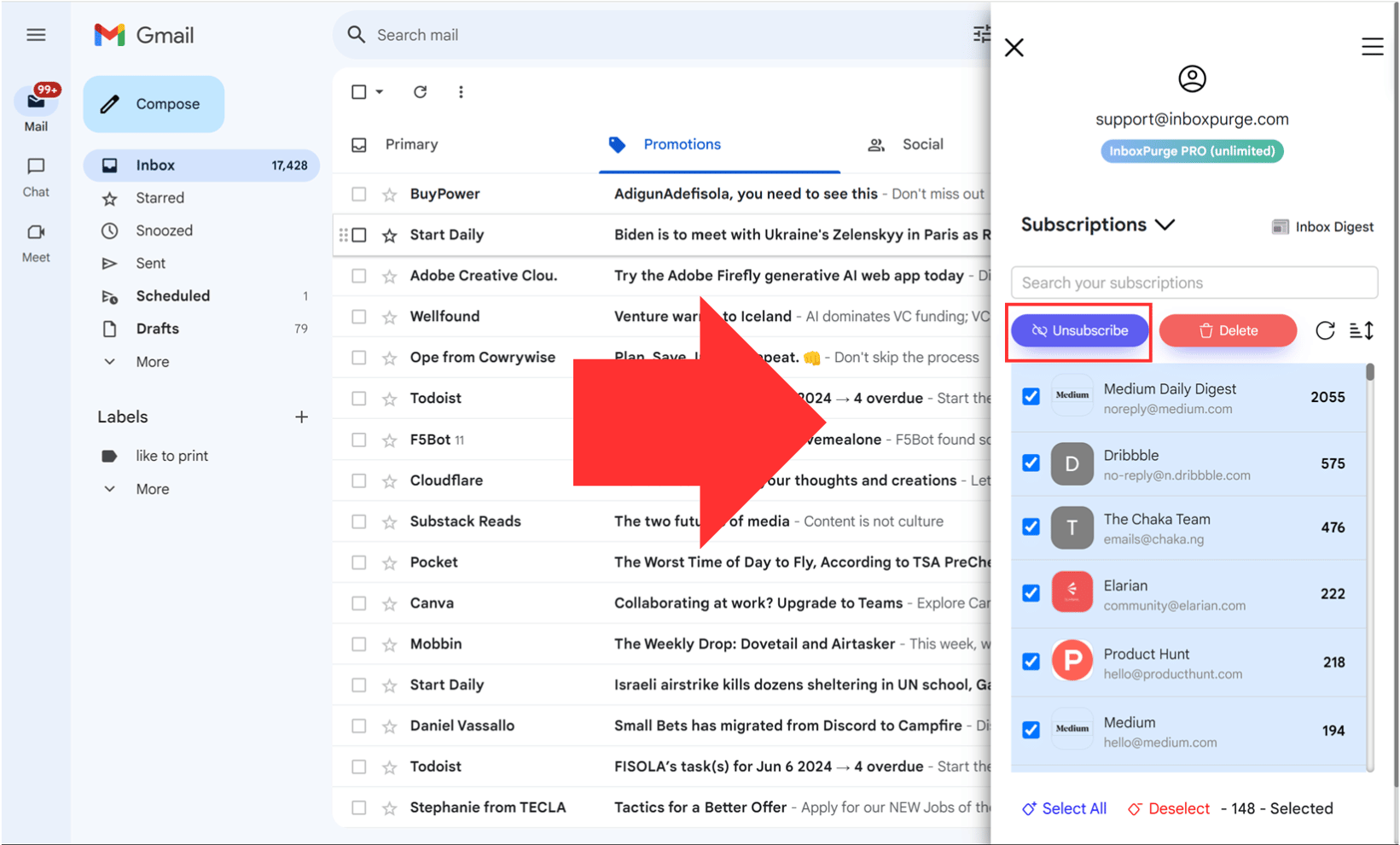
It's useful when you want to clean up your entire inbox, not just one sender.
Why Does SHEIN Send So Many Notifications?
SHEIN uses aggressive marketing to promote flash sales, price drops, new arrivals, and personalized deals. If you've installed the app or created an account, you're automatically opted into most notification types.
The methods above will stop nearly all of them. Blocking at the email provider level catches anything that slips through.
FAQs About Stopping SHEIN Notifications
Will turning off notifications affect my SHEIN account?
No. Disabling notifications doesn't change your account or orders. You can still browse, shop, and track orders normally. You just won't get push alerts or promotional emails.
How do I stop SHEIN text messages?
Reply STOP to any SMS from SHEIN. This opts you out of their text message marketing list.
What if I still get SHEIN emails after unsubscribing?
Wait a few days for the request to process. If emails continue, block SHEIN directly from Gmail or Outlook. You can also use SHEIN's dedicated unsubscribe page to formally submit your request.
Stop SHEIN Emails Fast
Unsubscribe and delete all SHEIN emails without opening each one
Stop SHEIN Emails →Clean your inbox in minutes


